
H100 vs H200 vs B200 vs B300 for LLM Inference: Which GPU Fits Which Model

Written by Muhammad Rizwan
November 6, 2026
15 min Read
The H100, H200, B200 and B300 are NVIDIA's data center GPUs: the chips that run AI models such as chat assistants in large server rooms. Each newer one can hold a bigger AI model and answer faster. The H200 is the H100 with more and faster memory, the B200 is a newer generation that is much faster, and the B300 is the B200 with even more memory.
For running AI models (called inference), the right choice comes down to two simple questions: how big is the model you want to run, and how many people will use it at the same time? This guide explains what each chip is in plain English first, then compares them in detail, shows which popular models fit on each one, and ends with a simple way to choose.
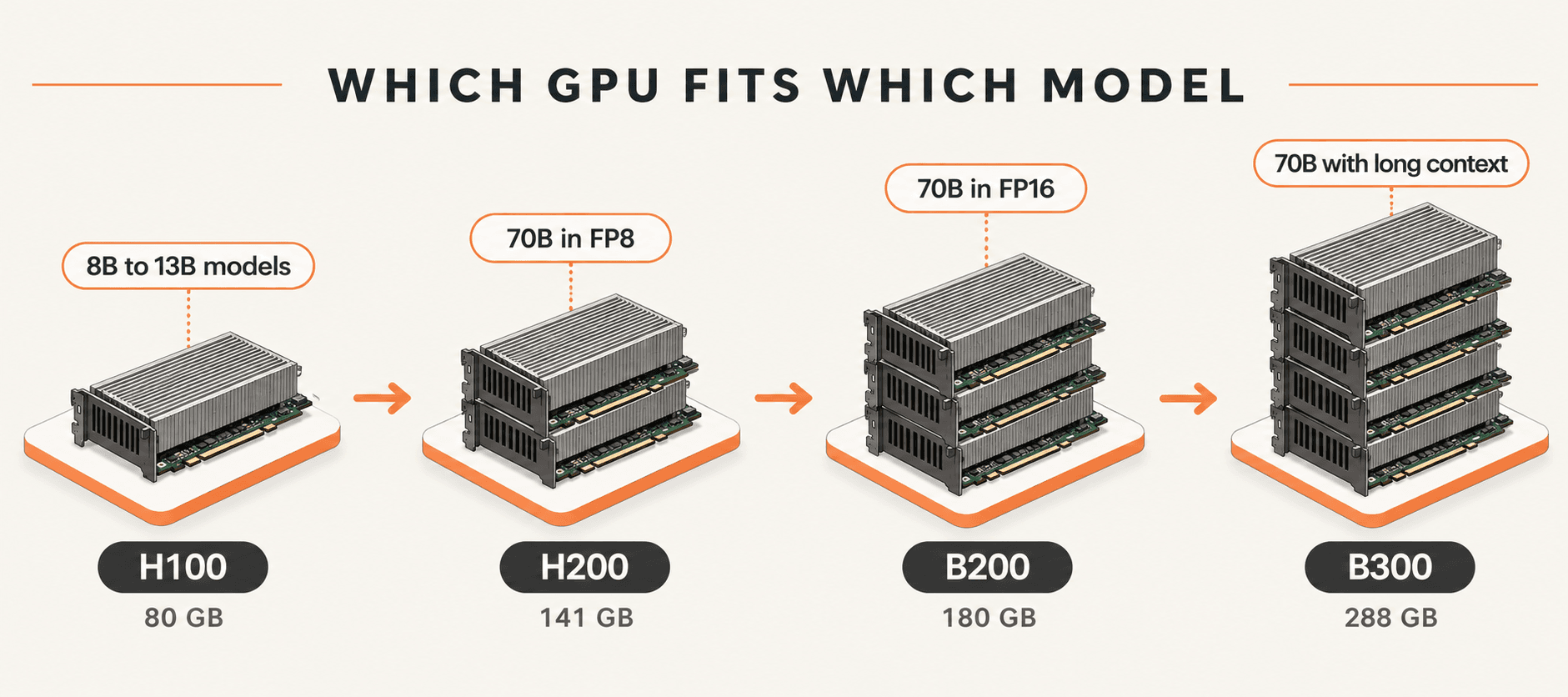
What is the difference between H100, H200, B200 and B300? They are four generations of NVIDIA AI chips. The H100 and H200 share the same processing power, but the H200 has nearly twice the memory (141 GB vs 80 GB). The B200 is a newer, much faster design, and the B300 adds even more memory (288 GB) for the biggest models.
Key Takeaways
- For most LLM serving, memory capacity and memory bandwidth matter more than peak FLOPS.
- H200 vs H100: same compute, 76% more memory and 43% more bandwidth, so bigger models and longer contexts fit on fewer GPUs.
- B200 vs H200: about 1.7 times the bandwidth, more memory and native FP4, which is where Blackwell's biggest gains come from.
- B300 vs B200: more memory and faster FP4 and attention, but the same memory bandwidth, so single-stream speed barely changes.
- Size the GPU from the model's weights plus its KV cache, then test with your real prompts and batch sizes.
What Are the H100, H200, B200 and B300?
They are NVIDIA's AI chips for data centers, released as two families: Hopper (H100, H200) and the newer Blackwell (B200, B300).
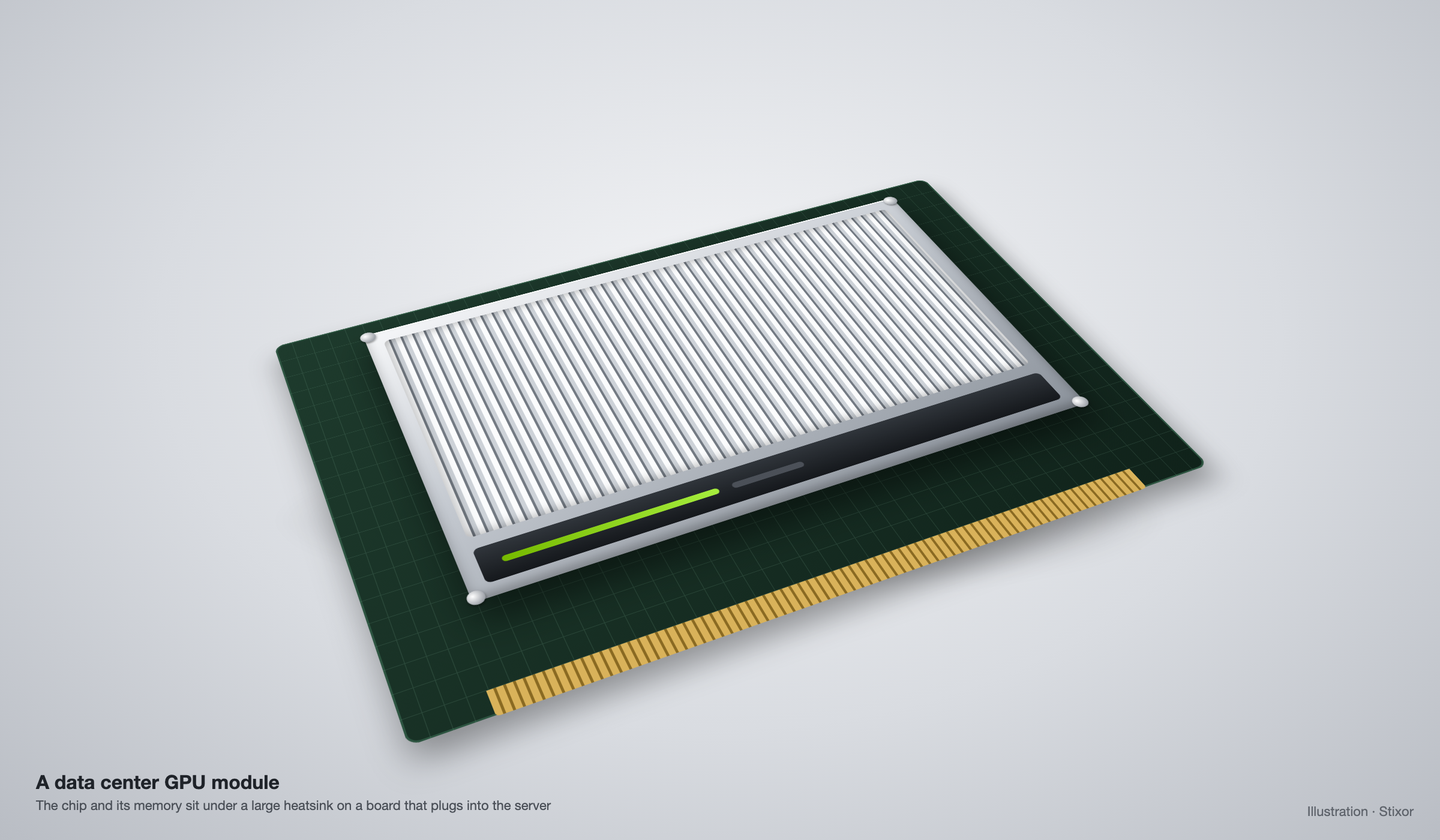
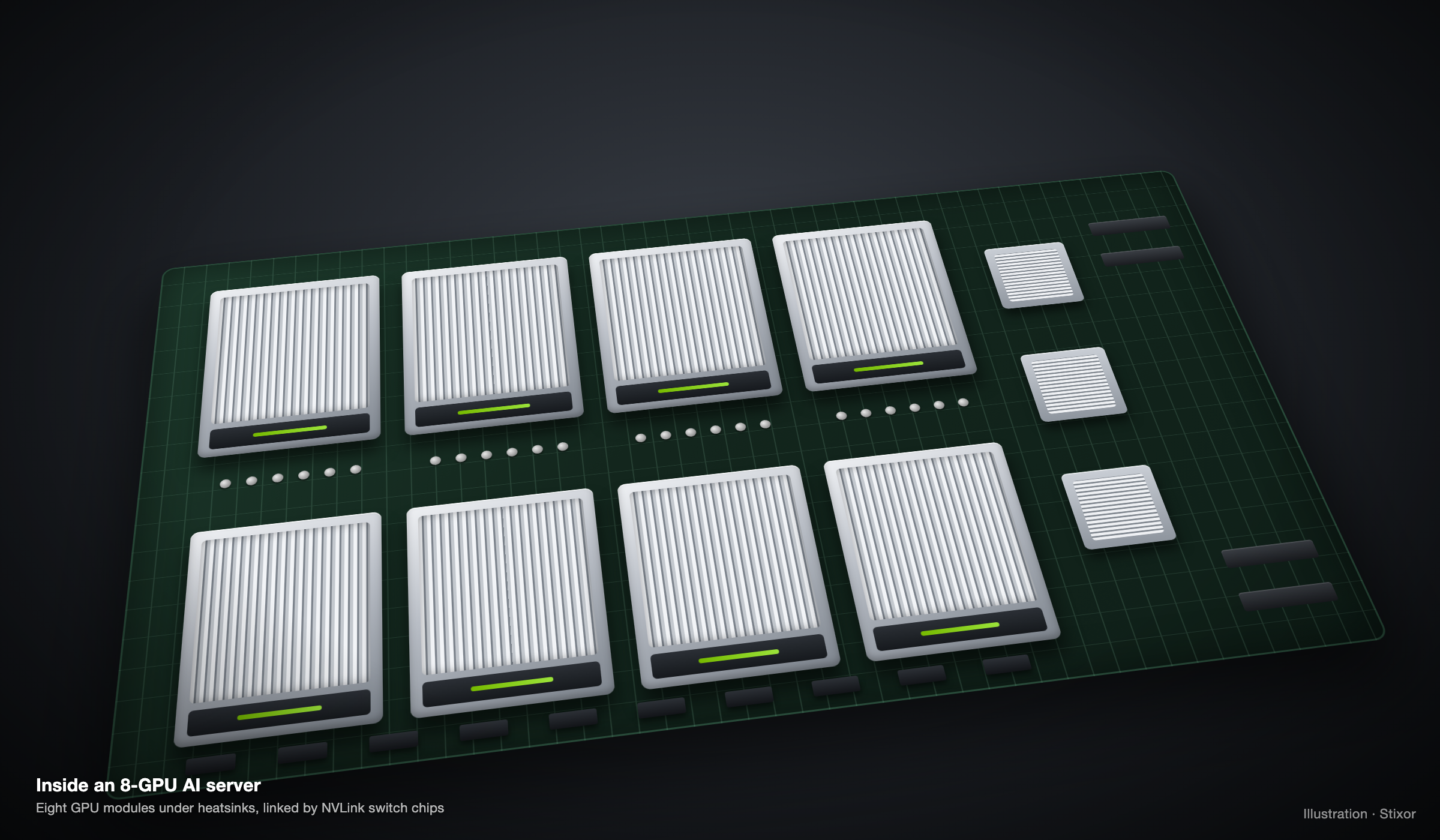
A GPU (graphics processing unit) started life drawing video game graphics. It turned out to be very good at the math behind AI, so data center GPUs like these now power most AI models, from chatbots to image tools. Each one sits on a board inside a server, usually eight to a server, and many servers are linked together for large models.
- H100: the most widely used of the four and the one most AI software is tuned for. A safe, well-understood choice.
- H200: the same chip as the H100 with a much bigger and faster memory, so it can hold larger models.
- B200: a new generation (called Blackwell) that is much faster and supports a new, more compact number format (FP4) for AI.
- B300: an upgraded B200 (called Blackwell Ultra) with the most memory of the four, built for the largest models.
A simple way to picture it. Think of a GPU as a chef in a kitchen:
- Memory is the size of the counter. A bigger counter lets the chef lay out a bigger recipe, which means a bigger AI model.
- Memory bandwidth is how fast the chef can grab ingredients from the counter. Faster grabbing means faster answers.
- Compute is how fast the chef chops. It matters, but for AI chat the chef usually spends more time reaching for ingredients than chopping.
That is why the H200, with the same "chopping speed" as the H100 but a bigger, faster counter, answers questions faster.
Key Terms in Plain English
You only need eight terms to follow this comparison.
| Term | What it means |
|---|---|
| LLM | Large language model: the AI behind chat assistants, such as Llama, DeepSeek or GPT |
| Inference | Using a trained model to answer questions, as opposed to training it |
| Token | A piece of a word; models read and write text a token at a time |
| Parameters (8B, 70B) | The size of a model; 70B means 70 billion numbers it learned during training |
| GPU memory (GB) | How much the chip can hold at once; the whole model must fit here |
| Memory bandwidth (TB/s) | How fast the chip can read its memory; higher means faster answers |
| FP16, FP8, FP4 | How precisely each number is stored; FP8 takes half the space of FP16, and FP4 half of FP8 |
| KV cache | The model's short-term memory of a conversation; it grows with longer chats and more users |
How Do the H100, H200, B200 and B300 Compare on Paper?
The jump from H100 to H200 is all memory; the jump from Hopper to Blackwell adds bandwidth, FP4 and a faster NVLink.
| Spec (per GPU, SXM) | H100 | H200 | B200 | B300 |
|---|---|---|---|---|
| Architecture | Hopper | Hopper | Blackwell | Blackwell Ultra |
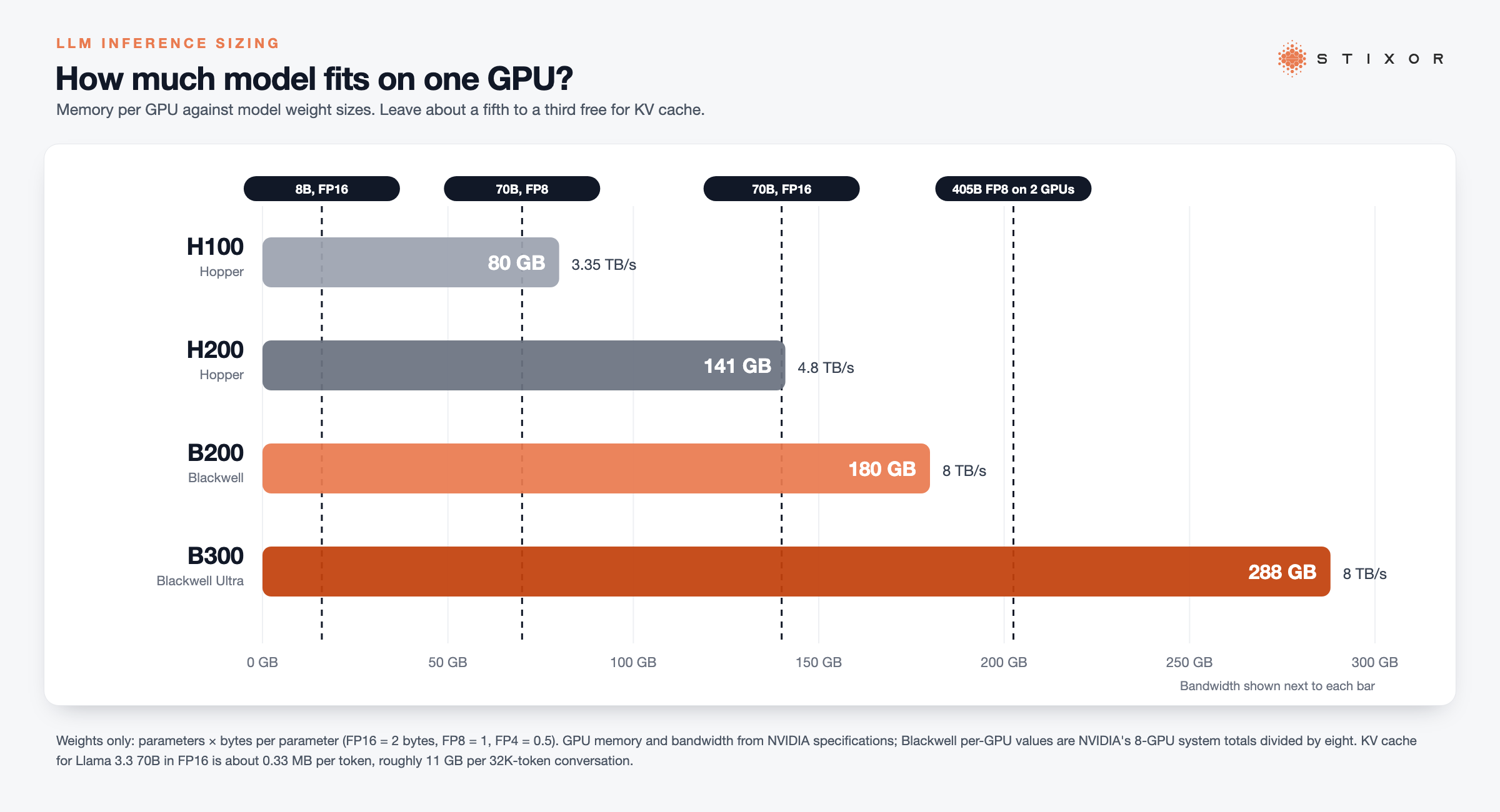
| GPU memory | 80 GB HBM3 | 141 GB HBM3e | 180 GB HBM3e | 288 GB HBM3e |
| Memory bandwidth | 3.35 TB/s | 4.8 TB/s | 8 TB/s | 8 TB/s |
| Lowest native tensor format | FP8 | FP8 | FP4 | FP4 |
| FP4, dense | Not native | Not native | 9 PFLOPS | 13.5 PFLOPS |
| NVLink per GPU | 900 GB/s | 900 GB/s | 1.8 TB/s | 1.8 TB/s |
| Max power | Up to 700 W | Up to 700 W | About 14.3 kW for an 8-GPU DGX B200 system | |
Sources: NVIDIA's H100, H200, DGX B200 and HGX specification pages, at the time of writing. Blackwell per-GPU figures are NVIDIA's 8-GPU system totals divided by eight: the HGX B200 lists 1.4 TB of memory and the DGX B200 1,440 GB with 64 TB/s of bandwidth, which is 180 GB and 8 TB/s per GPU. Some pages quote 192 GB for the B200 chip; 180 GB is what NVIDIA's own 8-GPU systems expose. The B300's 288 GB matches NVIDIA's HGX B300 total (2.1 TB) and its GB300 NVL72 rack (20 TB across 72 GPUs).
In plain terms: each step up holds a bigger model (the memory row) and, except from B200 to B300, reads it faster (the bandwidth row). Those two rows matter most for running AI models.
Two details most comparisons miss:
- The B300 drops some formats. NVIDIA lists INT8 at 3 POPS for an HGX B300 against 72 POPS for an HGX B200, and FP64 at 10 TFLOPS against 296. Blackwell Ultra is tuned for FP4 and FP8 inference, so INT8-quantized models should move to FP8 or FP4.
- The B300 doubles attention speed and network bandwidth. NVIDIA rates attention performance at 2x the B200 and networking at 1.6 TB/s per 8-GPU system against 0.8 TB/s, which helps long contexts and multi-node serving.
Why Does Memory Matter More Than FLOPS for LLM Inference?
Generating each new token means reading the model's weights from memory, so for most serving the GPU waits on memory, not on math.
LLM inference has two phases:
- Prefill reads your whole prompt at once. It is compute-heavy and benefits from more FLOPS.
- Decode generates the answer one token at a time. Every token needs the active weights read from memory again, which makes it limited by memory bandwidth.
In plain terms: reading your question is quick; writing the answer word by word is the slow part, and that part depends on memory speed.
For chat, coding assistants and agents, decode usually takes most of the time. That is why the H200, with the same compute as the H100 but 43% more bandwidth, serves the same model noticeably faster, and why Blackwell's 8 TB/s matters more for everyday serving than its peak FLOPS.
A quick ceiling you can calculate. At batch size 1, decode speed can never beat memory bandwidth divided by the bytes read per token. For a 70-billion-parameter model in FP8 (about 70 GB of weights), that gives these theoretical maximums:
| GPU | Bandwidth | 70B model, FP8: max tokens per second (batch 1) |
|---|---|---|
| H100 | 3.35 TB/s | About 48 |
| H200 | 4.8 TB/s | About 69 |
| B200 | 8 TB/s | About 114 |
| B300 | 8 TB/s | About 114 |
These are upper bounds from simple division (bandwidth ÷ 70 GB), not benchmarks. Real speeds are lower because the GPU also reads the KV cache and spends time on other work. The point is the ratio: on a single stream, the B200 can be up to about 1.7 times faster than the H200, and the B300 is no faster than the B200, because their bandwidth is the same.
Why Do Benchmarks Show "Up to 15x Faster" When Real Serving Doesn't?
Headline Blackwell numbers come from FP4, very large batches and rack-scale NVLink systems; at FP8 with modest batches, the gain over Hopper is far smaller.
Vendor charts often compare a B200 running FP4 at high batch sizes, sometimes in a 72-GPU NVLink rack, against an H100 running FP8. That stacks several advantages at once: half the bytes per weight, much more compute, and a faster network between GPUs. If you serve in FP8, at small or medium batch sizes, on 8-GPU servers, expect a gain closer to the bandwidth ratio. This is also why some teams report B200s performing closer to H200s than expected: the software, quantization format and batch size decide how much of Blackwell's extra power you actually use.
How Much GPU Memory Does an LLM Need?
Add the model's weights to its KV cache, then leave headroom: weights are parameters times bytes per parameter, and the KV cache grows with context length and the number of users.
Weights. Multiply parameters by bytes per parameter: 2 bytes for FP16 or BF16, 1 byte for FP8, half a byte for FP4. A 70B model is about 140 GB in FP16, 70 GB in FP8 and 35 GB in FP4.
KV cache. For each token in each active conversation, the model stores keys and values for every layer:
KV cache per token = 2 × layers × KV heads × head size × bytes per value
Using Llama 3.3 70B's published configuration (80 layers, 8 KV heads, head size 128) in FP16:
- About 0.33 MB per token
- About 2.7 GB for one 8K-token conversation
- About 11 GB for one 32K-token conversation
- About 43 GB for one conversation at the full 128K context
In plain terms: the model itself takes a fixed amount of memory, and every person chatting with it takes extra memory, more for longer conversations. Ten users at 32K context need roughly 110 GB of KV cache on top of the weights, which is why long-context serving fills memory long before it runs out of compute.
Model design changes this a lot. DeepSeek-V3 uses Multi-head Latent Attention, which stores a compressed cache: about 70 KB per token from its published configuration (61 layers, 576 values per layer), or roughly 9 GB at 128K context, a fraction of a standard model of similar size.
Which Models Fit on Which GPU?
Small models fit anywhere, 70B models fit on one H200 or Blackwell GPU in FP8, and the largest open models need a full 8-GPU server.
| Model (weights size) | H100 (80 GB) | H200 (141 GB) | B200 (180 GB) | B300 (288 GB) |
|---|---|---|---|---|
| 8B, FP16 (16 GB) | 1 GPU | 1 GPU | 1 GPU | 1 GPU |
| 70B, FP8 (70 GB) | 1 GPU, little room for KV cache; 2 is safer | 1 GPU, about 70 GB left for KV cache | 1 GPU, plenty of room | 1 GPU, plenty of room |
| 70B, FP16 (140 GB) | 2 GPUs | 2 GPUs (one is too tight) | 1 GPU, about 40 GB left | 1 GPU, about 148 GB left |
| 405B, FP8 (405 GB) | 8 GPUs | 4 GPUs | 4 GPUs | 2 GPUs |
| DeepSeek-V3 / R1 671B, FP8 (671 GB) | Does not fit on 8; needs 16 or 4-bit | 8 GPUs | 8 GPUs (4 in FP4) | 4 GPUs |
Counts are weights only, rounded to the GPU counts used for tensor parallelism (1, 2, 4 or 8), and assume you keep roughly a fifth to a third of memory free for KV cache and runtime overhead. Mixture-of-experts models like DeepSeek-V3 must hold all 671B parameters in memory, but only about 37B are active per token (DeepSeek-V3 model card), so they generate tokens much faster than a dense model of the same size.
In plain terms: if a model fits on one chip, it runs simpler and faster than when it has to be split across several.
Fewer GPUs per model is a real gain. Every time a model is split across GPUs, they must exchange data on every layer. Fitting a model on one GPU, or on four instead of eight, cuts that traffic and frees GPUs for other models or users.
H100 vs H200: Is the Upgrade Worth It for Inference?
Yes for large models and long contexts; not much for small models that already fit comfortably on an H100.
The H200 runs the same Hopper compute as the H100, so prefill speed and short-prompt latency barely change. Its gains come from memory: a 70B FP8 model fits on one card with room for many conversations, and decode runs up to 43% faster on the bandwidth alone. The H200 also keeps the H100's power envelope (up to 700 W) and NVLink speed and is offered on the same HGX server platforms, so it is the easiest upgrade for an existing Hopper data center. For 8B to 13B models with short prompts, an H100 is usually enough.
H200 vs B200: When Is Blackwell Worth It?
Choose the B200 when you need FP4, higher throughput per server or bigger models per GPU, and you can provide its power and cooling.
The B200 brings about 1.7 times the H200's bandwidth, 39 GB more memory, NVLink at 1.8 TB/s and native FP4. FP4 halves the memory and bandwidth each weight needs again, which is where Blackwell's largest serving gains appear, provided your model keeps acceptable quality in FP4. The trade-off is infrastructure: an 8-GPU DGX B200 draws about 14.3 kW, and Blackwell servers often need upgraded power and liquid or advanced air cooling. If your data center is built for Hopper, the H200 is the easier upgrade.
B200 vs B300: What Does Blackwell Ultra Add?
More memory, faster FP4 and double the attention speed, but the same 8 TB/s bandwidth, so it helps big models and long contexts more than single-user speed.
The B300's 288 GB lets a 671B model in FP8 run on four GPUs instead of eight, or a 70B model hold far more conversations per card. Dense FP4 rises from 9 to 13.5 PFLOPS per GPU and attention performance doubles, which helps reasoning models with long outputs. It is less suited to workloads that rely on INT8 or FP64, since NVIDIA cut both on Blackwell Ultra.
Which GPU Should You Choose for LLM Inference?
Start from your largest model and longest context, pick the smallest GPU count that fits with headroom, then choose the generation your power, cooling and software support.
| Your situation | Good fit | Why |
|---|---|---|
| Models up to about 13B, short prompts | H100, or a slice of a larger GPU | Fits easily; extra memory goes unused |
| 70B models, many users or long context | H200 or B200 | One GPU holds the weights with room for KV cache |
| Highest throughput per server, FP4-ready models | B200 | Native FP4 and 8 TB/s bandwidth |
| Largest open models (400B to 700B), long reasoning | B300, or 8x H200 or B200 | 288 GB per GPU and faster attention |
| Existing Hopper data center, no power upgrade | H200 | Same power envelope, NVLink and HGX server platforms as the H100 |
Before you commit:
- Measure your real context lengths and concurrent users, then calculate KV cache with the formula above.
- Pick the precision you will serve in: FP8 works on all four; FP4 needs Blackwell and a quality check on your own prompts.
- Check software support for your serving stack, such as vLLM, SGLang or TensorRT-LLM, on the generation you choose.
- Benchmark with your own prompts at your real batch sizes, measuring time to first token and tokens per second per user.
- Plan for mixed fleets. Most organizations end up with more than one generation, so the platform that schedules them matters.
How Do You Run Different GPU Generations Together?
Use a platform that treats the GPU type as a setting on each job, so every model lands on the cheapest hardware that fits it.
Few teams replace a whole fleet at once. A typical setup keeps H100s for small models and batch work, adds H200s or B200s for 70B-class serving, and reserves the largest GPUs for the biggest models. Sharing helps too: a small model rarely needs a whole H200, so slicing cards and packing several models on one GPU keeps expensive memory busy. For how this works in practice, see What Is GPU as a Service?
How Stixor Helps
Stixor AI Hub runs mixed GPU fleets as one service, placing each model on the right GPU, and Stixor can provide GPU capacity for your inference work.
Stixor AI Hub treats the accelerator as a job attribute, so H100s, H200s, newer NVIDIA GPUs and other accelerators can serve side by side in one deployment. It supports nine accelerator families, including NVIDIA, AMD and Huawei Ascend. Popular models stay always on, mid-demand models share cards, and long-tail models load on request, while many fine-tuned variants can run on one base model. Every model sits behind one OpenAI-compatible API with per-team keys, limits and budgets, and usage is metered by the second and by the token. It runs inside your own data center or cloud, including fully offline sites. For GPU capacity, see Data Center Consultancy and GPU Services.
Related reading: What Is GPU as a Service?, AI Inference in Pakistan, How to Choose the Right Open-Source LLM
The Bottom Line
Pick the GPU from memory first: work out your weights plus KV cache, choose the smallest GPU count that fits with headroom, then decide between Hopper and Blackwell on precision, power and software. Most fleets end up mixed, so plan how you will schedule them from day one. Talk to our team about running mixed GPU generations as one service.

Run Each Model on the Right GPU
Share and schedule mixed GPU generations in one fleet with Stixor AI Hub, or get GPU capacity from Stixor for your inference work.
Frequently Asked Questions
FAQs
The NVIDIA H100 is a data center GPU used to train and run AI models, especially large language models behind chat assistants, coding tools and search. Companies and cloud providers install it in servers, usually eight at a time, and rent or share its time across many users and applications.
For LLM inference, yes, though not because of compute. The H200 has the same Hopper compute as the H100 but 141 GB of HBM3e at 4.8 TB/s instead of 80 GB at 3.35 TB/s. That lets bigger models and longer contexts fit on fewer GPUs, and speeds up token generation, which is limited by memory bandwidth.
Yes. The B200 is a newer Blackwell GPU with 180 GB of memory, 8 TB/s of bandwidth, native FP4 and twice the NVLink bandwidth. For inference it can serve larger models per GPU and generate tokens faster, with the biggest gains when your model runs well in FP4. It also needs more power and cooling.
The B300 (Blackwell Ultra) has 288 GB of memory against the B200's 180 GB, about 50% more dense FP4 throughput and double the attention performance, with the same 8 TB/s bandwidth. It suits very large models and long reasoning outputs. It largely drops INT8 and FP64 performance, so it is built for FP4 and FP8 inference.
It depends on model size. Models up to about 13B run well on an H100 or a slice of a bigger GPU. 70B models fit best on one H200 or B200. The largest open models need a B300 or a full 8-GPU H200 or B200 server. Size by memory first, then choose the generation your power and software support.
Only in FP8 or lower, and with little room left. A 70B model needs about 70 GB in FP8, leaving roughly 10 GB of the H100's 80 GB for KV cache and overhead, which limits context and users. In FP16 it needs about 140 GB, so two H100s. An H200 or B200 runs it comfortably on one GPU.
In FP8, DeepSeek-V3 and R1 need about 671 GB just for weights, so a full 8-GPU H200 or B200 server, or four B300s. Eight H100s (640 GB) are not enough in FP8. Because only about 37B of the 671B parameters are active per token, generation speed is closer to a much smaller model once it fits.
Each generated token requires reading the model's active weights from memory. At small batch sizes, the GPU spends most of its time waiting for that data, so tokens per second rise with memory bandwidth. That is why the H200, with the same compute as the H100 but 43% more bandwidth, generates tokens faster.


Discuss Your Enterprise Use Case
From small to large scale enterprises, we deliver next-gen AI, data engineering, and actionable insights.


